

Too much time is spent drafting, replying to, rewriting and translating emails.
Practical Microsoft 365 Copilot training for professional communication
Smart and creative communication with Microsoft 365 Copilot
Use one transferable prompt method across email, rewriting, tone, analogies, speeches, translation, brainstorming, social content and feedback. Copilot supports drafts and variants; professionals remain responsible for facts, rights, brand, tone and approval.
Governed communication workflow

From approved source and audience to authorised communication
1
Approved source and audienceBrief, prior communication, brand guidance, meeting summary or approved reference
→2
Prompt methodRole, Context, Objective and Complexity
→3
Draft and variantsEmail, speech, analogy, translation, post, newsletter or script
→4
Fact, rights and brand reviewCheck names, figures, quotations, licences, tone and channel constraints
→5
Human editingRewrite in the professional voice and assess cultural and reputational impact
→6
Approved useSend or publish only through the authorised review and channel process
The professional voice remains accountable
Copilot supports preparation. It does not independently fact-check, approve rights, protect reputation, publish externally or replace editorial judgement. Final wording and release remain human decisions.
FactsVerify names, figures, quotations, links and claims
Rights & brandReview copyright, licences, trademarks, likeness and tone
ApprovalUse four-eyes review for external or sensitive communication
In short
What to know before choosing this workshop
A practical training day for professionals using Microsoft 365 Copilot for email, rewriting, speeches, translation, brainstorming, content and feedback.
- For
- Professionals who regularly prepare email, presentations, speeches or content. · Teams seeking one shared prompt and review method.
- Format
- Approximately seven hours, adapted to your team
- Languages
- English, French or Dutch
- Main tools
- Outlook, Word, Microsoft 365 Copilot Chat, PowerPoint, Teams, Excel, Microsoft 365 Copilot Notebooks, Agent Builder
- What participants will be able to do
- Prepare and answer professional emails more efficiently. · Rewrite text in several tones and formats.
- Access
- Features and licences depend on your Microsoft 365 environment
- Human review
- Participants verify outputs; accountable decisions remain with people
WorkWithAI
Sources and product notes
Primary sources supporting product, privacy and governance statements on this page.
- How Microsoft 365 Copilot works ↗Microsoft Learn · 2026-07-22
- Microsoft 365 Copilot help and learning ↗Microsoft Support · 2026-07-22
- Data protection in the European Union ↗European Commission · 2026-07-22
Recognition
Communication work is spread across tools, audiences, tones and repeated revisions.
The challenge is not to automate professional voice. It is to create a repeatable method for clearer drafts while preserving facts, authenticity, rights, context and human approval.
Tone and wording are difficult to adapt consistently for different audiences.
Complex ideas are not always explained clearly or memorably.
Presentations, speeches and campaigns may be accurate but insufficiently distinctive.
Communication is fragmented across email, documents, meetings and spreadsheets.
There is too little time for creativity, preparation and editorial refinement.
Teams remain uncertain about authenticity, copyright, privacy and AI-generated content.
Isolated prompts create inconsistent quality without a reusable review method.
Desired outcome
Prepare communication more systematically without outsourcing professional judgement.
Results depend on the brief, source quality, audience, channel, language, rights, organisational policy and human editing.
Prepare and answer professional emails more efficiently.
Rewrite text in several tones and formats.
Turn complex ideas into clear, tested analogies.
Structure a speech or keynote.
Prepare translations and idiomatic variants for expert review.
Organise brainstorming output into useful categories.
Prepare social posts, newsletters and video scripts as drafts.
Structure transparent argumentation and constructive feedback.
Centralise a communication and style dossier.
Prototype a simple reusable communication assistant.
Communication tasks and creative cases
Eleven practical workflows with explicit review boundaries.
Exercises use fictional, anonymised or explicitly approved communication. No confidential email, unpublished campaign, customer data or personal information should be entered into public demonstrations.
Writing and answering emails
Prepare clear, audience-appropriate professional email drafts.
Email draft, subject options and follow-up wording.Rewriting in several tones
Adapt existing text to context without changing approved facts.
Several labelled versions for editorial selection.Analysing style and tone of voice
Identify high-level traits that support a consistent professional voice.
High-level style observations and reusable guidance.Developing analogies
Make a complex idea easier to understand.
Testable analogies with caveats and usage notes.Structuring speeches and keynotes
Build a clear narrative from opening to conclusion.
Speech outline, talking points and draft passages.Translating and improving idiomatically
Prepare a translation that preserves meaning and intention.
Translation draft with uncertain terms marked.Brainstorming and structuring ideas
Expand options and organise them into useful categories.
Categorised idea list with criteria and next questions.Social posts, newsletters and video scripts
Prepare channel-specific content drafts.
Draft post, newsletter outline or video script.Persuasion and constructive feedback
Structure arguments and respectful dialogue transparently.
Transparent argument map or feedback draft.Communication and style dossier
Centralise approved tone, examples, terminology and source material.
Bounded style dossier or reference workspace.Reusable communication assistants
Prototype bounded support for recurring communication preparation.
Tested training prototype with explicit limitations.Copilot for communication by app
Use the application that matches the communication task.
Feature and licence availability must be confirmed for the organisation. Copilot Chat, Copilot Notebooks and Agent Builder remain subject to tenant controls, rollout and governance.

Outlook
Professional emails, replies, feedback emails, sensitive communication and tone adjustment.
Check recipients, facts, attachments, confidentiality and final tone.
Word
Rewriting, translation, style analysis, newsletters, speeches, job posts and video scripts.
Human review remains required for meaning, facts, rights and publication.
Microsoft 365 Copilot Chat
Analogies, brainstorming, speeches, argumentation, social drafts and multi-step preparation.
Source quality, web grounding and citations require verification.
PowerPoint
Presentation decks, keynote support and visual storytelling.
The presenter remains responsible for facts, narrative and rights.
Teams
Meeting summaries, message preparation, decisions and follow-up communication.
Review transcripts, context, actions and sensitive content.
Excel
Communication planning, editorial calendars and simple overviews.
Verify dates, formulas, owners and status definitions.
Microsoft 365 Copilot Notebooks
Bounded communication and style dossiers with approved sources.
Maintain source ownership, permissions, currency and version control.Agent Builder
Prototype rewriting, speech and analogy assistants.
No autonomous publishing or approval authority; governance remains required.Learning outcomes
Practical capabilities within a one-day training.
The training supports controlled communication workflows. It does not confer communications mastery, flawless translation, publication authority, copyright clearance or guaranteed impact.
Write prompts using Role, Context, Objective and Complexity.
Deliberately control tone of voice.
Prepare and answer professional emails in Outlook.
Rewrite text in several versions.
Analyse high-level style traits without improper imitation.
Turn complex ideas into clear, tested analogies.
Structure a speech or keynote.
Prepare translations and idiomatic variants for review.
Organise and refine brainstorming output.
Prepare social posts, newsletters and video scripts as drafts.
Structure transparent argumentation and constructive feedback.
Centralise a communication and style dossier in Copilot Notebooks.
Prototype a simple communication assistant with Agent Builder.
Apply confidentiality, GDPR, copyright, fact-checking and authenticity.
Programme of the day
From governed prompting to a bounded communication-assistant prototype.
Welcome and kick-off: Microsoft 365 Copilot and Golden Rules
Prompting: structure, tone of voice and constraints
Outlook and Word: write and answer emails and rewrite text in three versions
Word and Microsoft 365 Copilot Chat: analyse style traits and translate, including dialect variants
Lunch break
Microsoft 365 Copilot Chat: develop analogies and brainstorm
Microsoft 365 Copilot Chat and PowerPoint: structure a speech or keynote
Word and Microsoft 365 Copilot Chat: social posts, newsletter, video script and job post
Microsoft 365 Copilot Chat: persuasion, constructive feedback and creative formats such as a song concept
Microsoft 365 Copilot Notebooks and Agent Builder: centralise a style dossier and build an assistant
Wrap-up, action plan and Q&A
Responsible use, authenticity, copyright and privacy
Fact, rights, brand and human judgement remain visible.
Production use may require communications, brand, legal, privacy, HR, compliance, IT or security review depending on the audience, channel and content.
This page and training do not provide legal, copyright, privacy, reputation or compliance advice. Final decisions remain with authorised professionals.
Data minimisation and least-privilege access.
Separation of demo, test and production material.
Approved communication, brand and reference sources.
Source currency, ownership and access rights.
Fact-check names, figures, quotations, links and claims.
Human editing and approval before sending or publishing.
Copyright, licences, trademarks, likeness and usage rights.
No improper imitation of living creators or recognisable people.
Transparency about AI use where policy, platform or law requires it.
GDPR, confidentiality, e-privacy and consent.
Inclusive language, cultural context and stereotype review.
No misleading, manipulative, intimidating or discriminatory communication.
Four-eyes review for important external or sensitive communication.
Escalation to legal, privacy, communications, brand, HR, compliance, IT or security.
Logging, version control and ownership of communication assistants.
Periodic review of prompts, style dossiers and knowledge sources.
Audience and suitability
For professionals who communicate regularly and want a controlled Copilot method.
For managers, team leaders, communications, sales, HR, recruitment, consulting and project professionals who prepare emails, presentations, speeches or content.
Suitable when
Professionals who regularly prepare email, presentations, speeches or content.
Teams seeking one shared prompt and review method.
Organisations using Microsoft 365 Copilot in an approved environment.
Participants willing to work with fictional, anonymised or approved material.
Less suitable when
A complete copywriting, storytelling, public-speaking, translation or reputation course.
Microsoft 365 administrator training.
Legal training in copyright, privacy or advertising.
Certification in communication, copywriting or Microsoft 365.
An automated publishing, influence or fact-checking system.
A replacement for translators, editors, communications strategy, legal or brand review.
A guarantee of reach, persuasion, conversion, reputation or virality.
Training in imitation, deception, manipulation, spam or improper influence.

Arnaud Llamas BravoFounder & trainer, WorkWithAI
Photo 1 of 3
Your trainer
Arnaud Llamas Bravo
Clear.Practical.Human.
Since January 2024, I have trained more than 8,500 professionals. I am passionate about helping individuals and organisations build the skills they need to use AI effectively. My practical, hands-on approach ensures that every participant leaves with tools and ideas they can apply immediately.
I specialise in delivering trilingual training in English, French and Dutch across recruitment, human resources, education, marketing and sales. My mission is to make AI accessible, useful and transformative for teams that want to work smarter and achieve measurable results.
Through collaborations with renowned organisations including Proximus, Honda and the Flemish Government — and by creating tailored programmes for different sectors — I combine real-world experience with an in-depth understanding of AI’s potential.
8,500+ professionals trained247 verified participant storiesTraining in English, French and Dutch
Practical information
Confirmed training facts
- Training
- Smart & Creative Communication with Microsoft 365 Copilot
- Duration
- One full day of approximately seven hours with lunch break
- Format
- Interactive and hands-on
- Audience
- Managers, communications, sales, HR, recruitment, consulting, project and programme professionals
- Applications
- Outlook, Word, Microsoft 365 Copilot Chat, PowerPoint, Teams, Excel, Microsoft 365 Copilot Notebooks and Agent Builder
- Themes
- Email, rewriting, style, analogies, speeches, translation, brainstorming, persuasion and feedback
- Technical knowledge
- No technical prior knowledge required
- Laptop and access
- A laptop with a suitable active Microsoft 365 Copilot licence is recommended or may be required for active participation
- Practice material
- Personal only when approved, otherwise fictional or anonymised communication
- Trainer
- Arnaud Llamas Bravo
Frequently asked questions
Practical answers before requesting a proposal
Who is this training for?
Professionals who regularly communicate through email, documents, meetings, presentations, speeches or content.
Is technical or communications prior knowledge required?
No technical prior knowledge is required. Experience with professional communication is useful.
Which Microsoft 365 Copilot licence is needed?
Exact licences, service plans and feature availability must be confirmed for the organisation before delivery.
Can I attend without an active licence?
You may be limited to observation when suitable access is unavailable. The hands-on setup should be confirmed in advance.
Can I work with my own emails, text or speeches?
Only when the material is non-confidential, authorised and appropriate under organisational policy. Fictional or anonymised examples are safer.
How are confidential communication and personal data protected?
Use approved environments, data minimisation, least privilege and human review. Do not enter confidential or identifiable content into public forms or demos.
Can Copilot create error-free emails and translations?
No. Output can contain errors, omissions, tone problems or cultural issues and must be reviewed.
May I copy the style of a well-known author or speaker?
Do not directly imitate living creators or recognisable people. Describe high-level traits such as clarity, rhythm or formality instead.
How do I check facts, quotations and sources?
Open the original sources and verify names, figures, quotations, links, dates and attribution before use.
Can Copilot translate dialect correctly?
Treat dialect output as a draft and use a native speaker or regional expert for review.
Are AI-generated text and creative concepts copyright-safe?
Not automatically. Review source material, licences, copyright, trademarks, likeness and usage rights.
Can content be published or sent directly?
No. External or sensitive content requires human editing and authorised approval.
How do I preserve my own voice and authenticity?
Use Copilot as a starting point, compare variants and rewrite the final version in your own professional voice.
What is the difference between Copilot Chat, Copilot Notebooks and Agent Builder?
Copilot Chat supports multi-step preparation, Notebooks provide a bounded source workspace and Agent Builder prototypes reusable assistants. Availability must be confirmed.
Will I build a communication assistant?
The programme includes a simple bounded training prototype without publishing or approval authority.
Can the training be delivered in-company or adapted?
Possible formats can be discussed and must be confirmed commercially and operationally.
In which languages is it available?
The page is available in English, French and Dutch. Final delivery languages must be confirmed.
Which materials or follow-up are included?
Materials and follow-up are not stated until the final offer is approved.
WorkWithAI
Related practical insights

Outlook Writing Style Prompt
Analyzes the user’s authored Microsoft 365 messages and generates paste-ready custom instructions for drafting Outlook emails in the same professional voice.
Read article
Inbox Triage — What Actually Matters
Reduce inbox overload by identifying the emails that genuinely require your attention and separating them from informational messages, newsletters, and…
Read article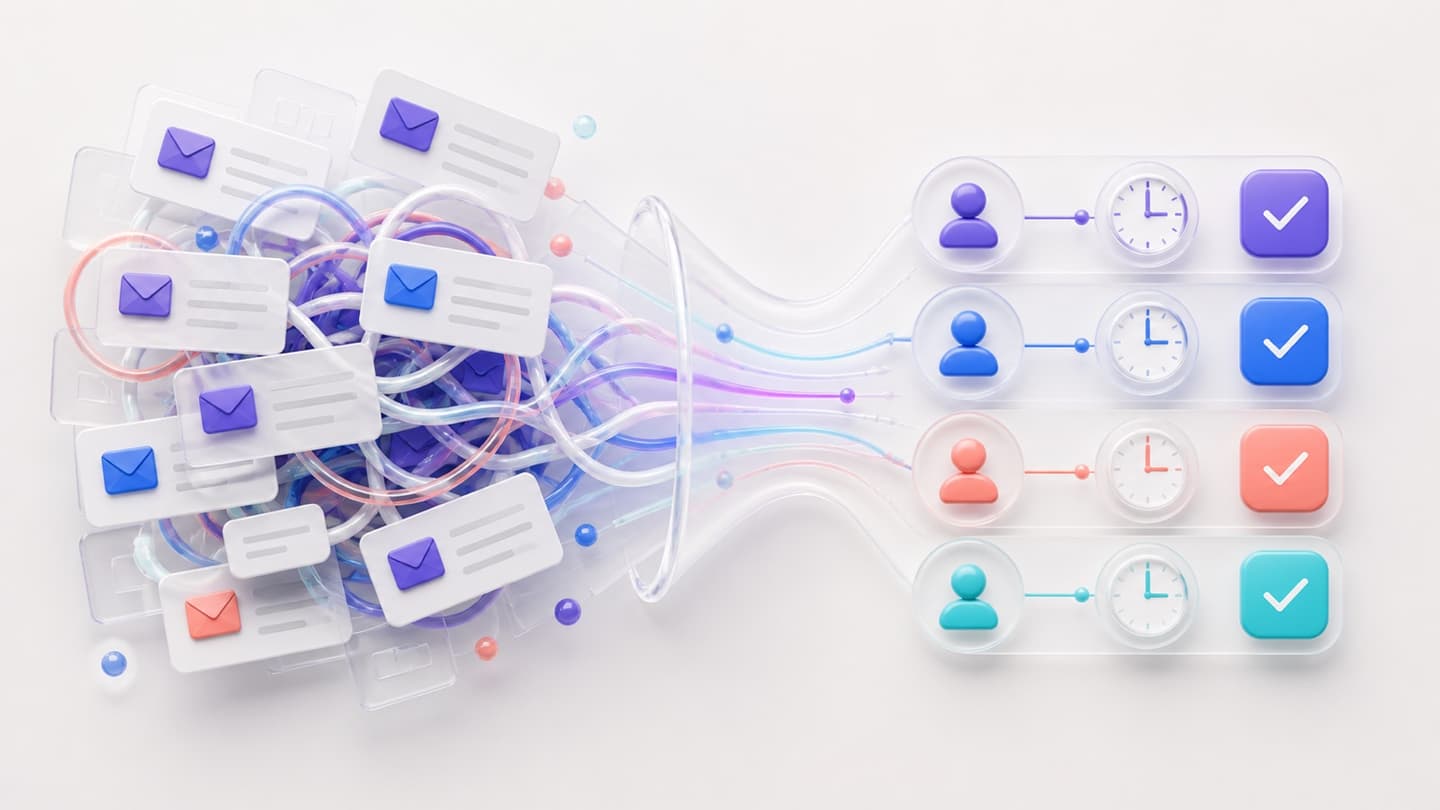
Turn Messy Email Threads into Actions
Transform a long or complicated email conversation into a clear summary of decisions, responsibilities, deadlines, and next steps. This is particularly…
Read articleWhat participants say
Practical learning you can apply immediately at work.
Participants value the clarity, energy and immediate application of every WorkWithAI workshop.
Testimonial position: 1–1 of 6
50 selected testimonialsSelected from 247 approved participant stories across practical AI and Copilot workshopsView the public source ↗
All workshops
Related workshops
Module 09

Models & reporting
Marketing & communications powered by Microsoft 365 Copilot
A practical training day for marketing and communications teams using Microsoft 365 Copilot for content strategy, personas, SEO, social media, email and KPI reporting.
✓Marketers✓Communication teams✓Content leads
Module 01

Prompting & control
Work smarter with Microsoft 365 Copilot
A practical one-day foundation for using Microsoft 365 Copilot across Word, Excel, PowerPoint, Outlook and Teams, with source checks and human review.
✓All professionals✓Managers✓Knowledge workers
Module 12

Models & reporting
Lead teams with Microsoft 365 Copilot — and stay authentic
A practical, human-centred training day for leaders using Microsoft 365 Copilot to prepare communication, feedback, change messages and reusable follow-up methods.
✓Managers✓Team leaders✓Executives
Written and reviewed by Arnaud Llamas Bravo · Last reviewed 22 July 2026